
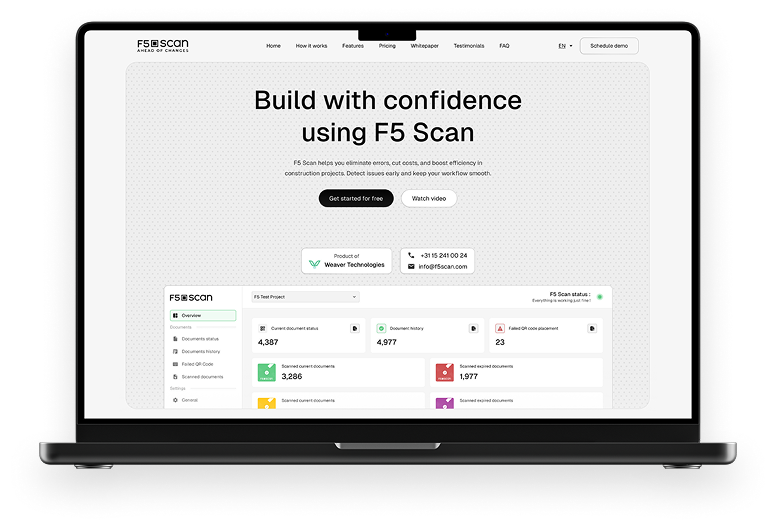
F5 Scan : Smart Document Tracking
Construction Tech, Document Management System
F5 Scan embeds live QR codes into construction PDFs, letting workers instantly verify document versions. Managers track real-time data through a web dashboard, preventing costly errors with a single scan.
Problem
Construction sites often suffer from costly mistakes due to outdated document versions. Manual version tracking is error-prone, time-consuming, and leads to major risks. F5 Scan eliminates these risks by automating document version control through smart QR code tracking, ensuring teams always work with the latest plans.
UX Thinking
User Research
Identified that document confusion causes critical errors and project delays.
Construction workers and site managers need instant, no-training-needed validation tools.
Goals
Make it effortless to verify a document's validity.
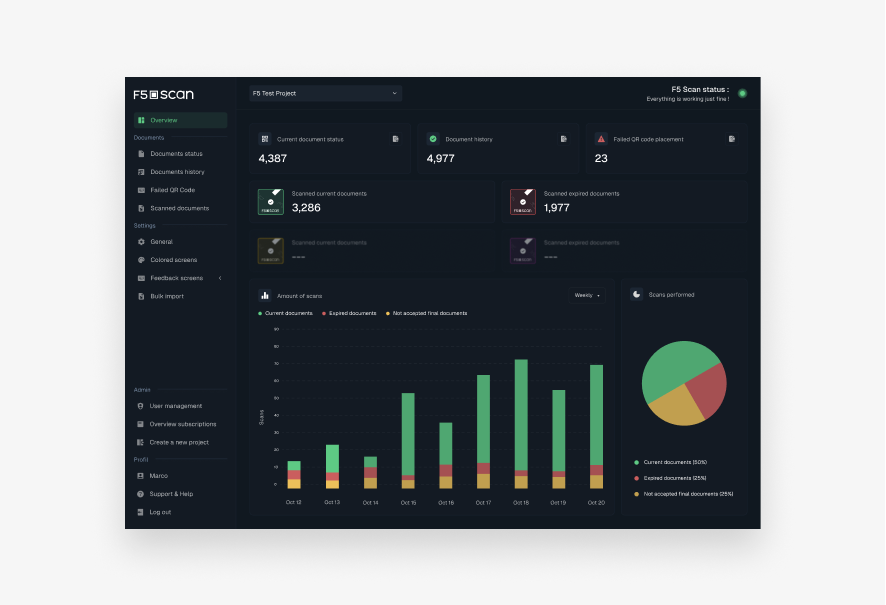
Provide project managers with real-time oversight of document usage.
Key UX Strategies
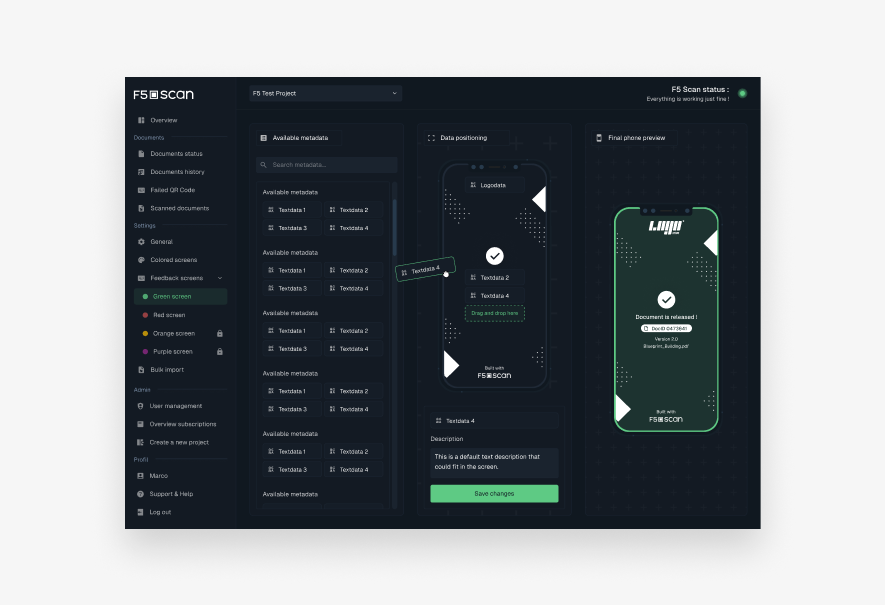
Color-coded feedback (green = valid, red = outdated) for instant clarity.
Minimal manual setup: “Set it once, automate the rest.”
Real-time web dashboard to empower decision-making with actionable insights.
UI Decisions
Visual Language
Industrial, robust feel (strong contrasts, bold fonts).
Simple, intuitive smartphone interface (focused on scan results only).
Component Design
Large scan buttons, readable QR feedback, dashboard graphs for document stats.
Color Logic
Universal colors (green/red) for instant understanding under real worksite conditions.
Research
Competitor Benchmarking
Studied competitors and found that most tools failed at real-time field validation.
Market Research
Prioritized speed, zero training, and field durability in the UX.
User Flow Overview
Setup Phase
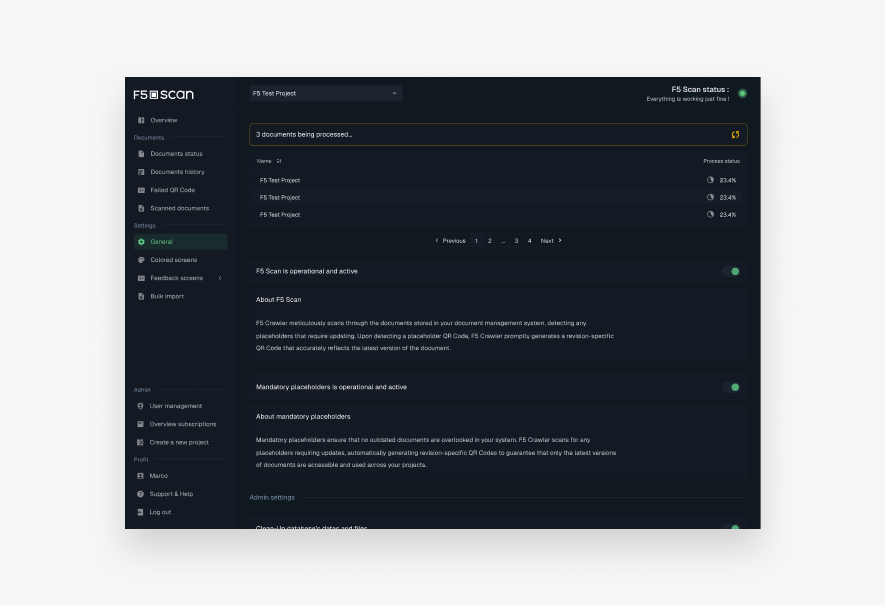
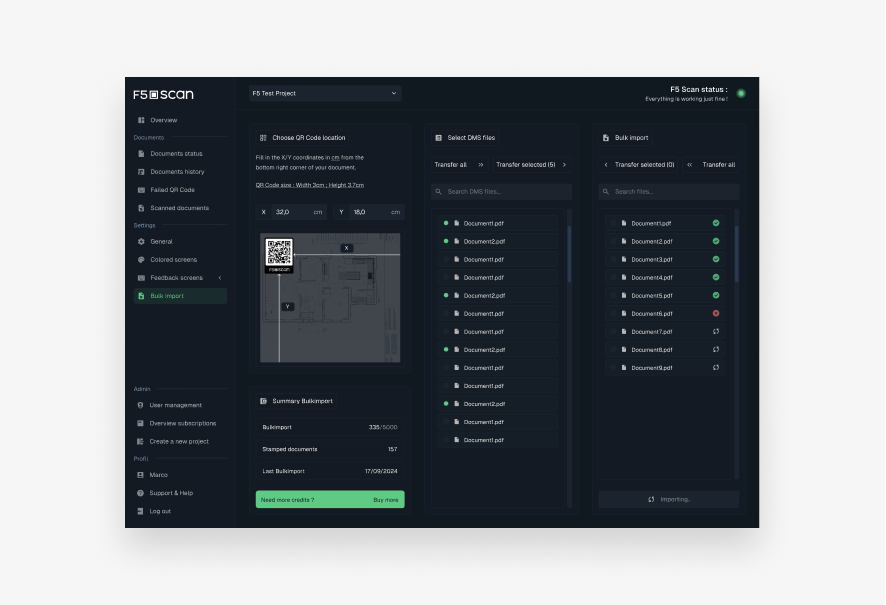
Insert QR code placeholder into document template (once).
Automatisation Phase
New document uploads automatically update the QR code.
Field Use
Workers scan the QR with a smartphone to instantly validate.
Management
Project managers use a dashboard to view scan stats and team performance.
Visual Design
Color Palette
Dark UI base with green/red highlights for validation results.
Typography
Bold sans-serifs for readability in field conditions.
UI Highlights
Clear status indicators, simple nav structure, consistent color feedback.
Tools Used
Figma (wireframes, prototypes, UI design)
Notion (research and documentation)
Results
Reduced document validation time from minutes to seconds. Prevented costly rework by enabling real-time version verification. Designed a zero-training-needed tool with high field usability and quick adoption.
Lessons Learned
Field tools must prioritize clarity and instant feedback over complexity. Color, hierarchy, and simplicity are the pillars of construction-friendly UI. A well-integrated system doesn't interrupt workflows—it supports and protects them.