F5 Scan
Checking a drawing’s version on site
A UX/UI contribution to mobile scan feedback and the web interface for tracking documents.
UX/UI design contribution · Weaver Technologies
Context
Construction drawings change over the course of a project. F5 Scan lets someone on site scan a QR code to check the status of the drawing in front of them.
The problem
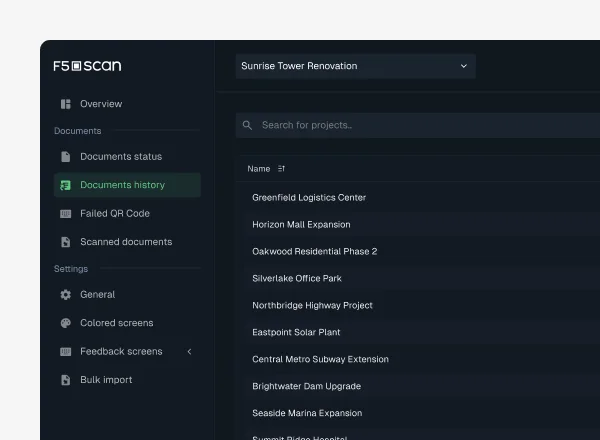
After a mobile scan, the person on site needs to see the drawing’s status before acting on it. In the web interface, the person tracking documents needs to find the drawing and review its version history.
My role
At Weaver, I helped explore and prototype the two workflows and design the screens for each. The design work was done in Figma and documented in Notion.
Design decisions
The mobile scan result gives the version status priority. The web view brings the drawing details and history together. Each view shows the information people need for the task at hand.
What the project shows
The web preview shows where document tracking sits within a project. The two workflows illustrate how the same drawing supports a quick decision on site and a more detailed review at the desk.
What I learned
The same information can need different presentations. On site, status needs to be clear at a glance. At the desk, version history gives people the context they need to follow up.