LeekVault
Sync supplier inventory with Shopify
An internal tool for my LeekVault store matches supplier references to Shopify variants and sets uncertain matches aside for review.
Store operations · Inventory sync
Context
LeekVault is my Shopify store for trading cards. Similar product references can refer to items in different languages or packages, such as a booster pack and a boxed set.
The problem
A bad match can update stock on the wrong variant. Each supplier reference needs a reliable match in Shopify, with uncertain cases set aside before any update.
My role
I run LeekVault and worked on the inventory sync workflow and how the store reviews discrepancies.
How it works
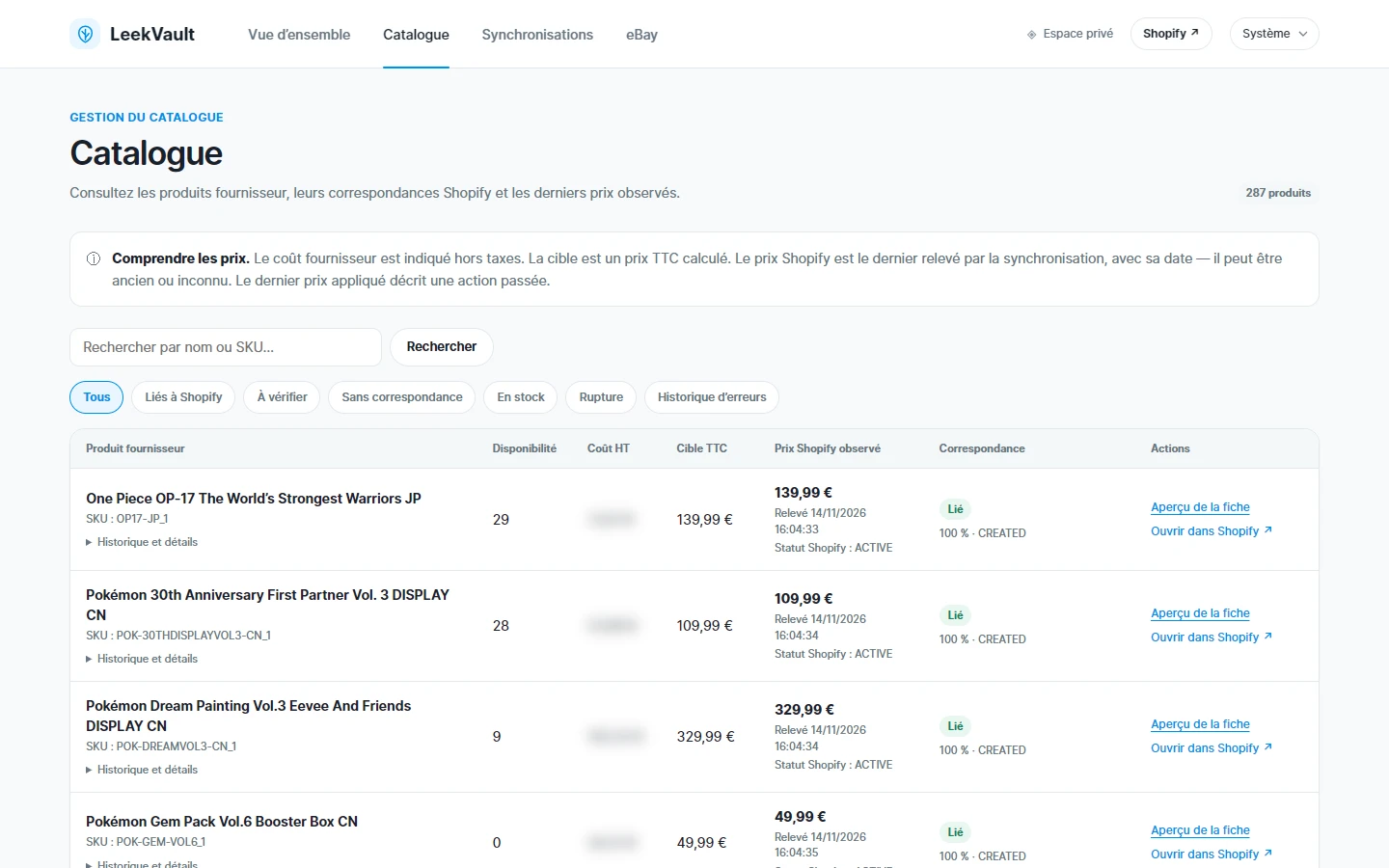
The tool reads the supplier’s stock. To match a supplier item to a Shopify variant, its SKU must be present, unique and identical in both systems. Uncertain matches wait for review. If the supplier feed is incomplete, the sync stops before writing. It updates quantities only when they change, at the configured Shopify location.
The inventory sync in action
Read the transcript
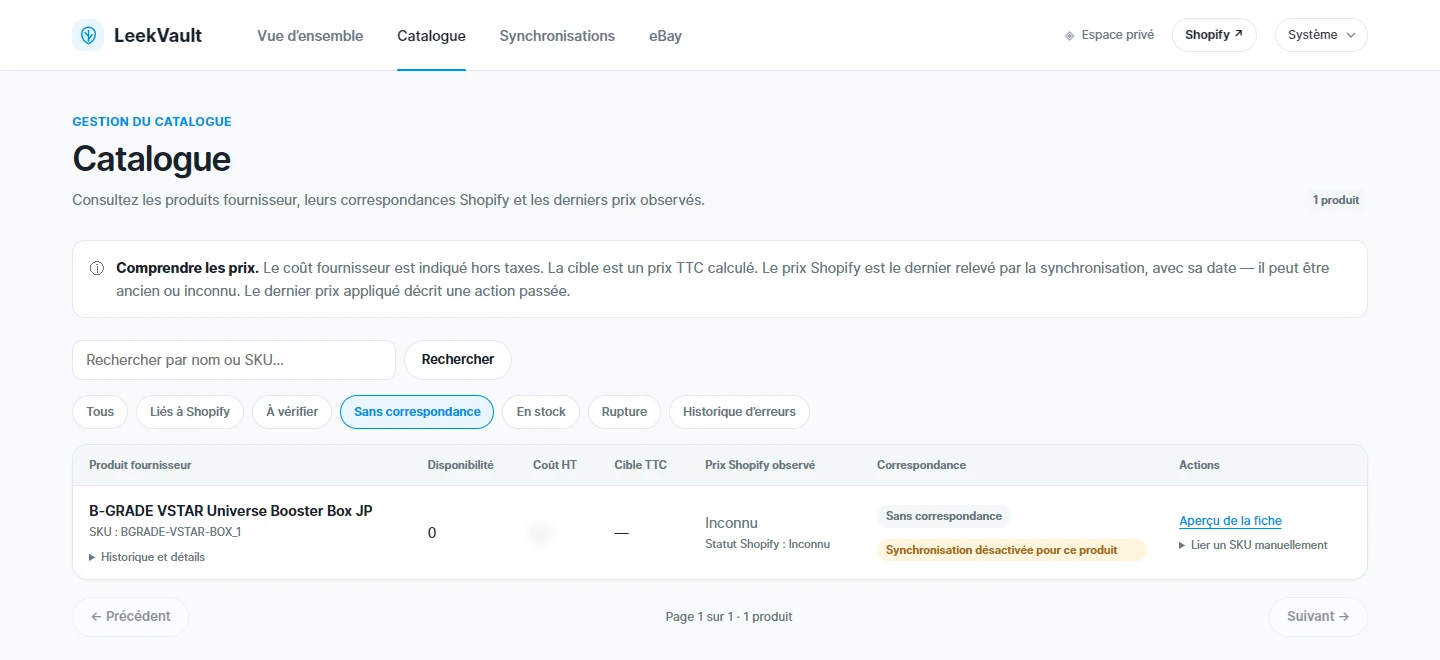
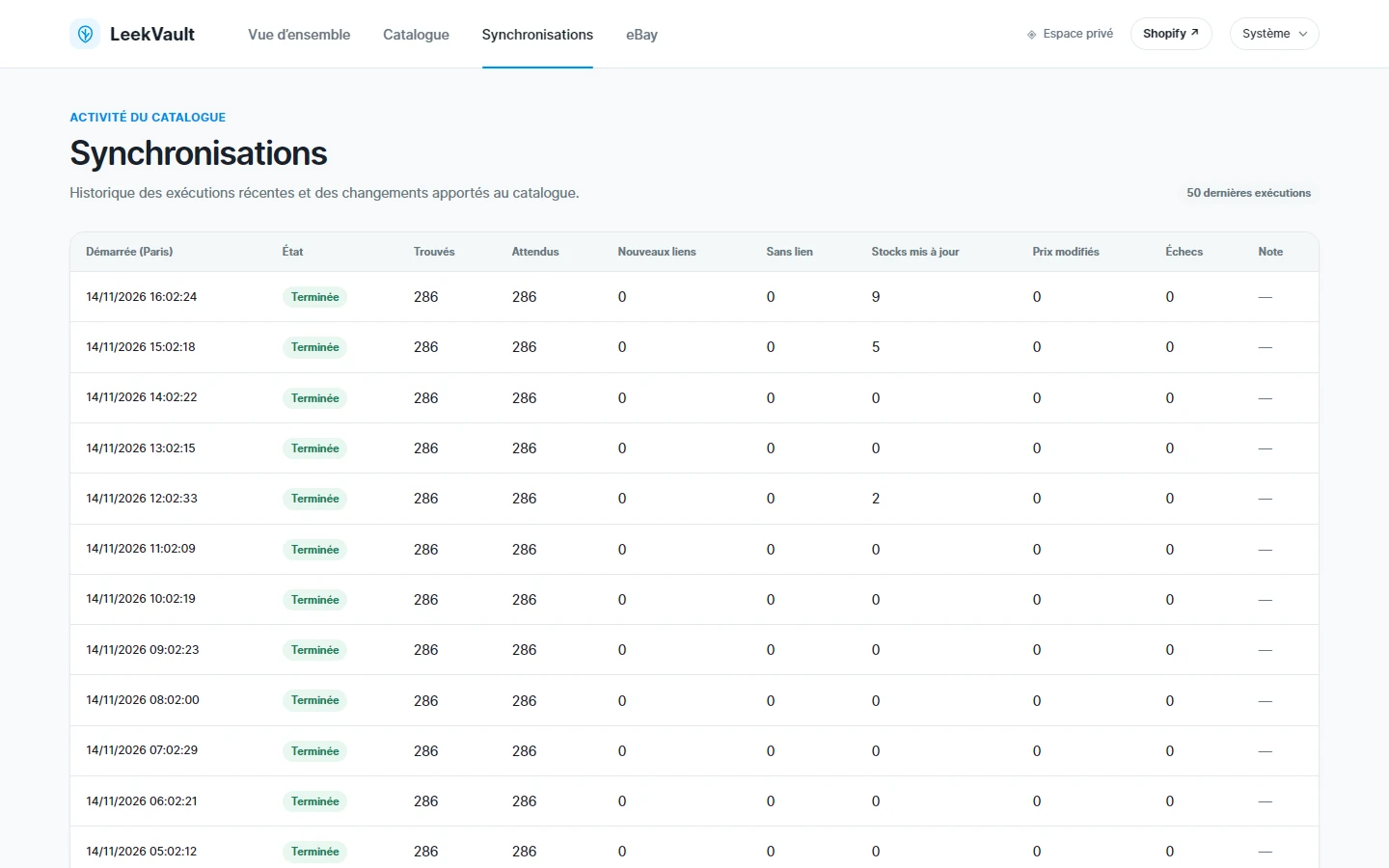
Silent video edited from real captures of the private LeekVault dashboard, taken on 14 November 2026. Supplier cost is blurred and the supplier’s name replaced. LeekVault sells a supplier’s catalogue on Shopify. Before any stock change, each supplier reference must be linked to the right Shopify variant. Example: reference OP17-JP_1, a Japanese-language One Piece product. The price read in Shopify matches the calculated target price, and the product is active. “Linked” means the reference is attached to a single Shopify variant with the same SKU. Each row shows when the supplier and Shopify were last read. An uncertain match is never applied on its own: it goes to “To review”. At the time of capture, no match was waiting for review. This second-grade product, excluded on purpose, has no linked Shopify variant. The tool does not guess: sync stays disabled for this product, and only the operator can decide to link it to a specific variant. Every hour, a sync run leaves a record: 286 products expected, 286 found, the read is complete. Only stock levels that changed are updated. No product failures on the runs shown. Latest sync: successful.
Review references and inventory updates
Tools used to build it
- TypeScript and Node.js for the sync.
- Next.js for the dashboard.
- PostgreSQL and Prisma for product matches and run history.
- Shopify Admin GraphQL API for inventory updates.
What the project shows
The dashboard gives the shop a history of sync runs and per-product changes. It shows which quantities were updated and which references still need a closer look.
What I learned
A team can take over an automation more easily when it can trace its decisions. The matching rule, the exceptions and the run history belong in the workflow from the start.