FabricGraph
Exploring and editing a complex data model
A UX/UI contribution to navigating class hierarchies and editing their properties and relationships.
UX/UI design contribution · Weaver Technologies
Context
FabricGraph is used to explore and edit structured data models. To work on a class, people need to find it, understand where it sits and see its properties and relationships.
The problem
A deep hierarchy takes up screen space. People need to keep the selected class and its position in view while editing its properties or relationships.
My role
At Weaver, I contributed to UX/UI design and prototyping. The work was done in Figma and documented in Notion.
Design decisions
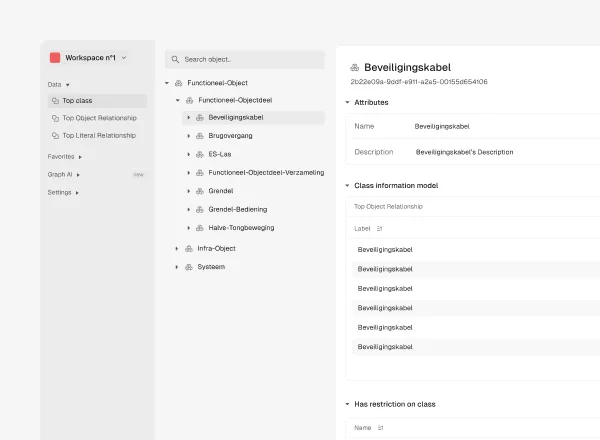
The tree shows where the class sits within the model. A detail panel presents the selected class’s properties and relationships. Both stay visible while someone makes edits.
What the project shows
The preview shows a selected class in the model tree and its details alongside it. People can see how the class fits into the model and which element they are editing.
What I learned
In a data editor, keeping the hierarchy visible helps people understand which element their changes apply to.